To change the background click on the label bar and in the layer window select the style tab.
Choose a source from the background top tab then upload an image or pick a background color.


To change the background click on the label bar and in the layer window select the style tab.
Choose a source from the background top tab then upload an image or pick a background color.

To add a layer, click the green plus button in the left sidebar and select the type of layer.
Select any layer and you can edit its content and style properties in the layer window.


To change the background click on the label bar and in the layer window select the style tab.
Choose a source from the background top tab then upload an image or pick a background color.

To add a layer, click the green plus button in the left sidebar and select the type of layer.
Select any layer and you can edit its content and style properties in the layer window.

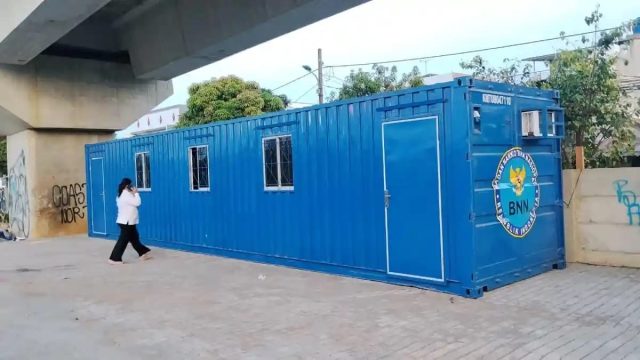
YAKUSA.ID – Badan Narkotika Nasional Kota (BNNK) Jakarta Utara menyiapkan terobosan baru di Kampung Muara Bahari, Tanjung Priok. Fasilitas yang dinamai Posko Bersama Bersinar itu akan menjadi pusat rehabilitasi, pengaduan, hingga pelatihan keterampilan bagi warga. Kepala BNNK Jakarta Utara, Kombes Pol Irwan Andy Purnawan, menjelaskan tempat tersebut dibangun menggunakan empat unit kontainer di bawah kolong […]