To change the background click on the label bar and in the layer window select the style tab.
Choose a source from the background top tab then upload an image or pick a background color.


To change the background click on the label bar and in the layer window select the style tab.
Choose a source from the background top tab then upload an image or pick a background color.

To add a layer, click the green plus button in the left sidebar and select the type of layer.
Select any layer and you can edit its content and style properties in the layer window.

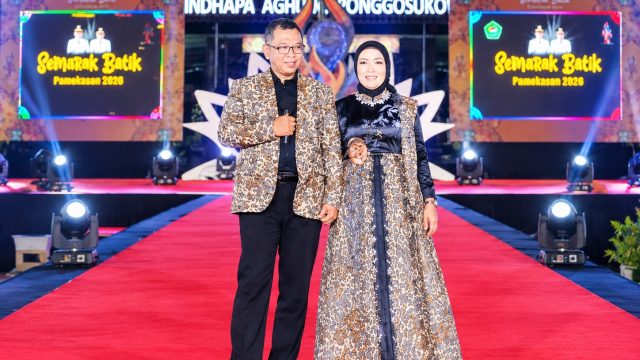
YAKUSA.ID – Pasangan Pelaksana Tugas (Plt) Direktur RSUD dr. H. Slamet Martodirdjo (SMART) Pamekasan, dr. Syaiful Hidayat dan istrinya, dr. Garata Dwi Yulia Nurul Putri, meraih juara favorit dalam ajang Semarak Batik Pamekasan 2026. Penghargaan tersebut diraih setelah keduanya tampil dalam peragaan busana batik di kawasan Nagara Bhakti Ronggosukowati, Sabtu (21/11/2026) malam, dengan mengusung motif […]