To change the background click on the label bar and in the layer window select the style tab.
Choose a source from the background top tab then upload an image or pick a background color.


To change the background click on the label bar and in the layer window select the style tab.
Choose a source from the background top tab then upload an image or pick a background color.

To add a layer, click the green plus button in the left sidebar and select the type of layer.
Select any layer and you can edit its content and style properties in the layer window.


To change the background click on the label bar and in the layer window select the style tab.
Choose a source from the background top tab then upload an image or pick a background color.

To add a layer, click the green plus button in the left sidebar and select the type of layer.
Select any layer and you can edit its content and style properties in the layer window.


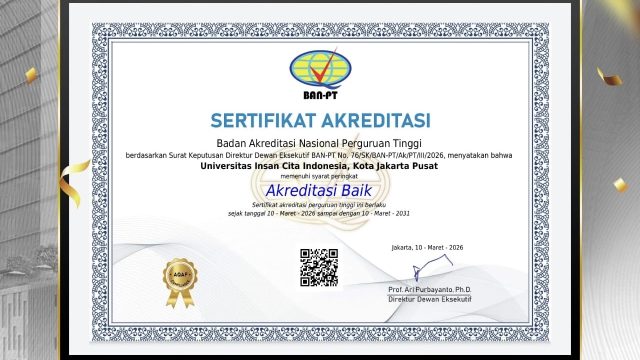
YAKUSA.ID – Universitas Insan Cita Indonesia (UICI) resmi meraih akreditasi dengan peringkat “Baik” dari Badan Akreditasi Nasional Perguruan Tinggi (BAN-PT). Penetapan tersebut tertuang dalam Surat Keputusan Direktur Dewan Eksekutif BAN-PT Nomor 76/SK/BAN-PT/Ak/PT/III/2026. Dalam sertifikat yang diterbitkan BAN-PT disebutkan bahwa UICI telah memenuhi persyaratan mutu penyelenggaraan pendidikan tinggi sesuai standar nasional. Status akreditasi tersebut berlaku selama […]