To change the background click on the label bar and in the layer window select the style tab.
Choose a source from the background top tab then upload an image or pick a background color.


To change the background click on the label bar and in the layer window select the style tab.
Choose a source from the background top tab then upload an image or pick a background color.

To add a layer, click the green plus button in the left sidebar and select the type of layer.
Select any layer and you can edit its content and style properties in the layer window.


To change the background click on the label bar and in the layer window select the style tab.
Choose a source from the background top tab then upload an image or pick a background color.

To add a layer, click the green plus button in the left sidebar and select the type of layer.
Select any layer and you can edit its content and style properties in the layer window.


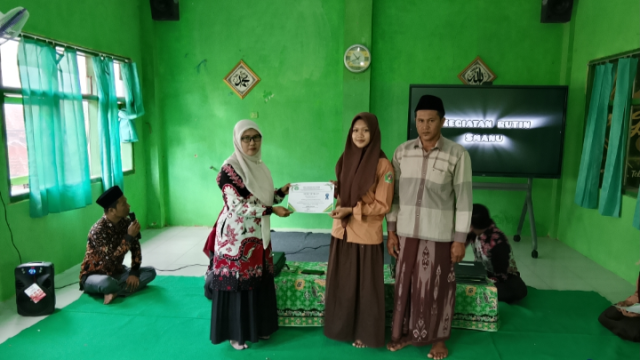
YAKUSA.ID – SMA NU Sumenep menggelar pembagian rapor semester genap Tahun Ajaran 2025–2026 dengan melibatkan wali orang tua murid. Pembagian rapor itu dikhususkan siswa kelas Fase E (X) serta F1 dan F2 (XII) di Aula SMA NU Sumenep pada Sabtu, 20 Juni 2026. Kepala Satuan Pendidikan SMA NU Sumenep, Sri Farida Hartatik, mengatakan kehadiran orang […]