To change the background click on the label bar and in the layer window select the style tab.
Choose a source from the background top tab then upload an image or pick a background color.


To change the background click on the label bar and in the layer window select the style tab.
Choose a source from the background top tab then upload an image or pick a background color.

To add a layer, click the green plus button in the left sidebar and select the type of layer.
Select any layer and you can edit its content and style properties in the layer window.


To change the background click on the label bar and in the layer window select the style tab.
Choose a source from the background top tab then upload an image or pick a background color.

To add a layer, click the green plus button in the left sidebar and select the type of layer.
Select any layer and you can edit its content and style properties in the layer window.


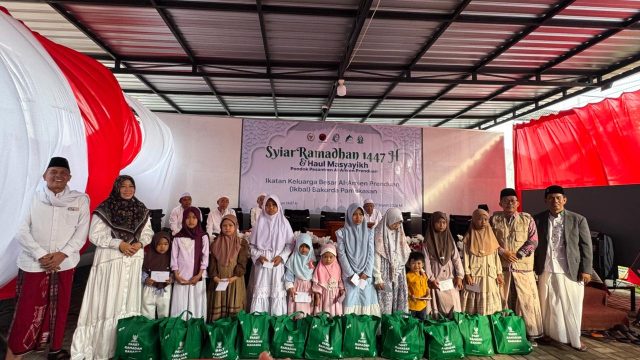
YAKUSA.ID — Ikatan Keluarga Besar Al-Amien Prenduan (IKBAL) Bakorda Pamekasan menggelar kegiatan Syiar Ramadan 1447 Hijriah yang dirangkai dengan Haul Masyayikh Pondok Pesantren Al-Amien Prenduan serta pertemuan alumni di Kabupaten Pamekasan. Kegiatan tersebut berlangsung di kediaman Hj Ansari yang juga merupakan alumni Pondok Pesantren Al-Amien Prenduan. Acara ini dihadiri para kiai, pengurus IKBAL, serta alumni Al-Amien […]