To change the background click on the label bar and in the layer window select the style tab.
Choose a source from the background top tab then upload an image or pick a background color.


To change the background click on the label bar and in the layer window select the style tab.
Choose a source from the background top tab then upload an image or pick a background color.

To add a layer, click the green plus button in the left sidebar and select the type of layer.
Select any layer and you can edit its content and style properties in the layer window.


To change the background click on the label bar and in the layer window select the style tab.
Choose a source from the background top tab then upload an image or pick a background color.

To add a layer, click the green plus button in the left sidebar and select the type of layer.
Select any layer and you can edit its content and style properties in the layer window.


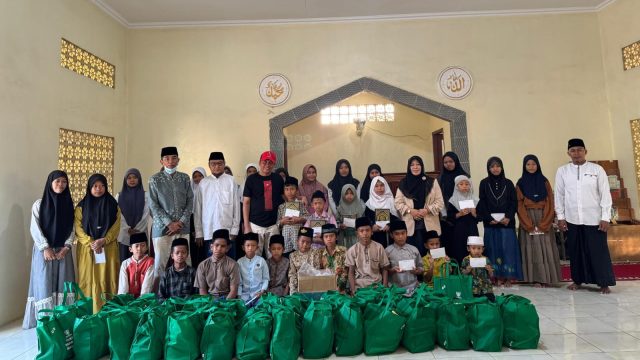
YAKUSA.ID – Anggota Komisi VIII DPR RI Fraksi PDI Perjuangan Dapil Madura Raya, Hj. Ansari, menyalurkan bantuan paket sembako dari Badan Amil Zakat Nasional (Baznas) kepada Yayasan Panti Asuhan Muhammadiyah Pamekasan, Rabu (4/3/2026). Penyaluran bantuan tersebut merupakan bagian dari program mitra kerja Komisi VIII DPR RI yang menyasar masyarakat yang layak menerima bantuan sosial dan […]