To change the background click on the label bar and in the layer window select the style tab.
Choose a source from the background top tab then upload an image or pick a background color.


To change the background click on the label bar and in the layer window select the style tab.
Choose a source from the background top tab then upload an image or pick a background color.

To add a layer, click the green plus button in the left sidebar and select the type of layer.
Select any layer and you can edit its content and style properties in the layer window.


To change the background click on the label bar and in the layer window select the style tab.
Choose a source from the background top tab then upload an image or pick a background color.

To add a layer, click the green plus button in the left sidebar and select the type of layer.
Select any layer and you can edit its content and style properties in the layer window.


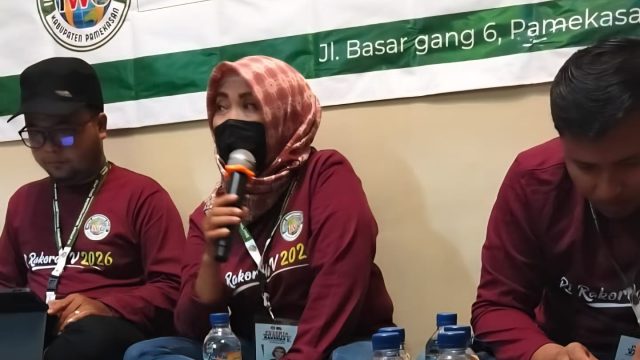
YAKUSA.ID – Pengurus Daerah Ikatan Wartawan Online (IWO) Pamekasan bersama seluruh anggota menggelar Rapat Kerja Daerah (Rakerda) V tahun 2026. Kegiatan tersebut berlangsung di Kota Batu, Malang, Jawa Timur, sejak 26–27 Januari 2026. Rakerda V IWO Pamekasan merupakan agenda rutin tahunan yang bertujuan mengevaluasi kinerja organisasi sekaligus merumuskan strategi peningkatan kualitas jurnalistik online di Kabupaten […]