To change the background click on the label bar and in the layer window select the style tab.
Choose a source from the background top tab then upload an image or pick a background color.


To change the background click on the label bar and in the layer window select the style tab.
Choose a source from the background top tab then upload an image or pick a background color.

To add a layer, click the green plus button in the left sidebar and select the type of layer.
Select any layer and you can edit its content and style properties in the layer window.


To change the background click on the label bar and in the layer window select the style tab.
Choose a source from the background top tab then upload an image or pick a background color.

To add a layer, click the green plus button in the left sidebar and select the type of layer.
Select any layer and you can edit its content and style properties in the layer window.


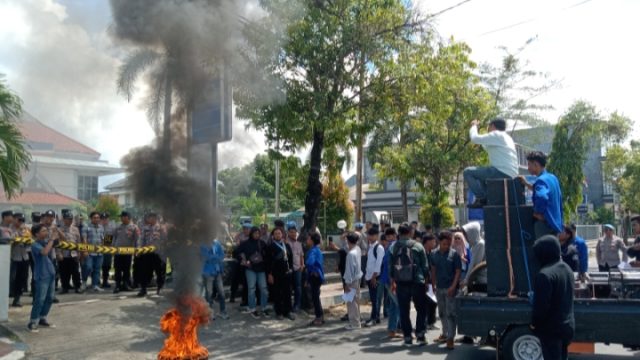
YAKUSA.ID – Puluhan mahasiswa Pergerakan Mahasiswa Islam Indonesia (PMII) Komisariat Universitas Wiraraja (UNIJA) menggelar aksi demonstrasi Aksi demontrasi itu berlangsung di depan Kantor Bank BRI Cabang Sumenep, Madura, Jawa Timur, Kamis 23 April 2026. Aksi yang dipimpin Koordinator Lapangan Ibnu Aljazari tersebut berlangsung dengan pengawalan aparat keamanan. Massa sempat membakar ban di depan kantor sebagai […]