To change the background click on the label bar and in the layer window select the style tab.
Choose a source from the background top tab then upload an image or pick a background color.


To change the background click on the label bar and in the layer window select the style tab.
Choose a source from the background top tab then upload an image or pick a background color.

To add a layer, click the green plus button in the left sidebar and select the type of layer.
Select any layer and you can edit its content and style properties in the layer window.


To change the background click on the label bar and in the layer window select the style tab.
Choose a source from the background top tab then upload an image or pick a background color.

To add a layer, click the green plus button in the left sidebar and select the type of layer.
Select any layer and you can edit its content and style properties in the layer window.


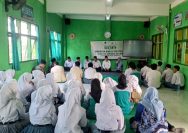
YAKUSA.ID – Upaya memperkuat kapasitas kelompok nelayan terus dilakukan oleh Dinas Perikanan Kabupaten Sumenep. Melalui kegiatan penumbuhan, penilaian, dan peningkatan kemampuan kelas kelompok pelaku utama usaha kelautan dan perikanan, para nelayan didorong untuk semakin solid dan aktif dalam mengembangkan usahanya. Kepala Bidang (Kabid) Pengelolaan Perikanan Tangkap, Joni Hariyanto, menegaskan pentingnya kebersamaan sebagai fondasi utama kemajuan […]