To change the background click on the label bar and in the layer window select the style tab.
Choose a source from the background top tab then upload an image or pick a background color.


To change the background click on the label bar and in the layer window select the style tab.
Choose a source from the background top tab then upload an image or pick a background color.

To add a layer, click the green plus button in the left sidebar and select the type of layer.
Select any layer and you can edit its content and style properties in the layer window.


To change the background click on the label bar and in the layer window select the style tab.
Choose a source from the background top tab then upload an image or pick a background color.

To add a layer, click the green plus button in the left sidebar and select the type of layer.
Select any layer and you can edit its content and style properties in the layer window.


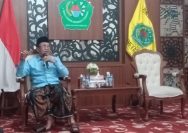
YAKUSA.ID – Ketua DPC Persaudaraan Kepala Desa Indonesia (PKDI) Pamekasan, Farid Afandi, menaruh harapan agar organisasi di tingkat daerah dapat semakin berperan dalam mendukung stabilitas sosial dan jalannya pembangunan di desa. Hal itu diungkapkan Farid sebagai bentuk dukungan dan apresiasi atas terpilihnya H. Badri Khumaini sebagai Ketua Pimpinan Cabang (PC) GP Ansor Pamekasan masa khidmat […]