To change the background click on the label bar and in the layer window select the style tab.
Choose a source from the background top tab then upload an image or pick a background color.


To change the background click on the label bar and in the layer window select the style tab.
Choose a source from the background top tab then upload an image or pick a background color.

To add a layer, click the green plus button in the left sidebar and select the type of layer.
Select any layer and you can edit its content and style properties in the layer window.


To change the background click on the label bar and in the layer window select the style tab.
Choose a source from the background top tab then upload an image or pick a background color.

To add a layer, click the green plus button in the left sidebar and select the type of layer.
Select any layer and you can edit its content and style properties in the layer window.

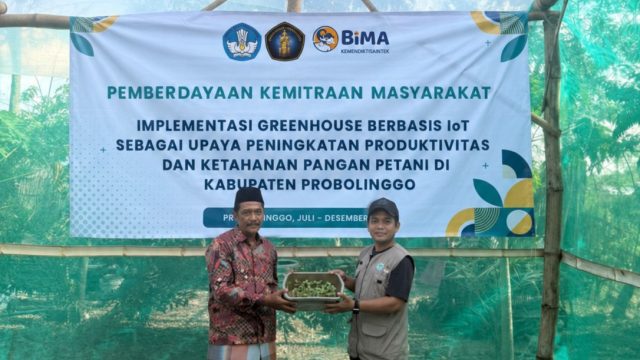
YAKUSA.ID – Inovasi perguruan tinggi tidak lagi berhenti di laboratorium dan publikasi ilmiah. Melalui program Pemberdayaan Kemitraan Masyarakat, kolaborasi akademisi berhasil membawa teknologi Internet of Things (IoT) langsung ke lahan petani melalui pengembangan greenhouse pintar bersama Kelompok Tani Daun Mas 1, Desa Kedung Rejoso, Kabupaten Probolinggo. Program ini didukung pendanaan Direktorat Riset, Teknologi, dan Pengabdian […]