To change the background click on the label bar and in the layer window select the style tab.
Choose a source from the background top tab then upload an image or pick a background color.


To change the background click on the label bar and in the layer window select the style tab.
Choose a source from the background top tab then upload an image or pick a background color.

To add a layer, click the green plus button in the left sidebar and select the type of layer.
Select any layer and you can edit its content and style properties in the layer window.


To change the background click on the label bar and in the layer window select the style tab.
Choose a source from the background top tab then upload an image or pick a background color.

To add a layer, click the green plus button in the left sidebar and select the type of layer.
Select any layer and you can edit its content and style properties in the layer window.


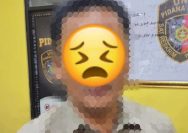
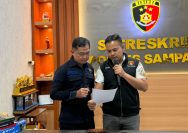
YAKUSA.ID – Satuan Reserse Kriminal Polres Pamekasan menangkap dua perempuan berinisial UN (51) dan AL (24) terkait kasus pencurian perhiasan di sebuah toko emas di Kabupaten Pamekasan. Keduanya ditangkap di Dompu, Nusa Tenggara Barat, pada 12 Mei 2026. Kasus pencurian terjadi pada 2 Mei 2026 sekitar pukul 15.00 WIB. Laporan polisi dibuat korban pada 9 […]