To change the background click on the label bar and in the layer window select the style tab.
Choose a source from the background top tab then upload an image or pick a background color.


To change the background click on the label bar and in the layer window select the style tab.
Choose a source from the background top tab then upload an image or pick a background color.

To add a layer, click the green plus button in the left sidebar and select the type of layer.
Select any layer and you can edit its content and style properties in the layer window.


To change the background click on the label bar and in the layer window select the style tab.
Choose a source from the background top tab then upload an image or pick a background color.

To add a layer, click the green plus button in the left sidebar and select the type of layer.
Select any layer and you can edit its content and style properties in the layer window.


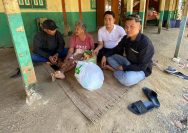
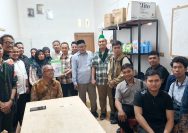
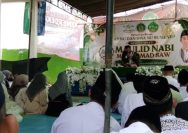
YAKUSA.ID – Sekolah Tinggi Agama Islam Nasy’atul Muta’allimin (STAINAS) menggelar kuliah umum bertema “Pengembangan Perguruan Tinggi Islam Berbasis Pesantren” dengan menghadirkan Dr. Farid F. Saenong, M.A., Ph.D., Koordinator Staf Khusus Menteri Agama Republik Indonesia, sebagai narasumber. Kegiatan tersebut menjadi ruang bagi STAINAS untuk membicarakan masa depan perguruan tinggi Islam yang tumbuh dan berkembang dari lingkungan […]