To change the background click on the label bar and in the layer window select the style tab.
Choose a source from the background top tab then upload an image or pick a background color.


To change the background click on the label bar and in the layer window select the style tab.
Choose a source from the background top tab then upload an image or pick a background color.

To add a layer, click the green plus button in the left sidebar and select the type of layer.
Select any layer and you can edit its content and style properties in the layer window.


To change the background click on the label bar and in the layer window select the style tab.
Choose a source from the background top tab then upload an image or pick a background color.

To add a layer, click the green plus button in the left sidebar and select the type of layer.
Select any layer and you can edit its content and style properties in the layer window.

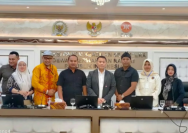
YAKUSA.ID – Wakil Ketua DPR Sufmi Dasco Ahmad menyampaikan apresiasi setinggi-tingginya atas langkah Bank Indonesia yang telah bekerja sama dengan People’s Bank of China (PBOC) untuk memperkuat nilai tukar rupiah melalui skema transaksi bilateral tanpa dolar Amerika Serikat. Kesepakatan Bilateral Currency Swap Arrangement (BCSA) ditandatangani langsung oleh Gubernur BI Perry Warjiyo dan Gubernur PBOC Pan […]