To change the background click on the label bar and in the layer window select the style tab.
Choose a source from the background top tab then upload an image or pick a background color.


To change the background click on the label bar and in the layer window select the style tab.
Choose a source from the background top tab then upload an image or pick a background color.

To add a layer, click the green plus button in the left sidebar and select the type of layer.
Select any layer and you can edit its content and style properties in the layer window.


To change the background click on the label bar and in the layer window select the style tab.
Choose a source from the background top tab then upload an image or pick a background color.

To add a layer, click the green plus button in the left sidebar and select the type of layer.
Select any layer and you can edit its content and style properties in the layer window.


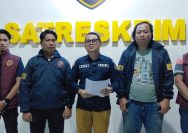
YAKUSA.ID – Satreskrim Polres Pamekasan berhasil menangkap seorang wanita berinisial SKN, 33 tahun, warga Kecamatan Krembung, Kabupaten Sidoarjo, atas dugaan penipuan dan penggelapan berkedok jasa pemberangkatan umrah. Kasatreskrim Polres Pamekasan AKP Yoyok mengatakan, kasus ini terungkap setelah pihaknya menerima laporan dari korban berinisial SC, 31 tahun, warga Desa Gengser Laok, Kecamatan Waru, Pamekasan, pada 2 […]